Categories
Blog posts about QNAP's products and technologies.
The Most Impactful Upgrade: Building a Million-Dollar–Level Data Fortress with Zero Licensing Fees
For a long time, IT administrators evaluating QNAP’s backup solutions often focused mainly on HBS (Hybrid Backup Sync), taking the NAS merely as a storage device or a relay for cloud backups. In fact, HBS is just the basic line of defense in QNAP’s backup architecture, while the real core is HDP (Hyper Data Protection), which has been integrated and restructured in recent years. If HDP has not yet been enabled on your QNAP NAS, you are missing out on the device’s most powerful core value—an License-Free enterprise-grade, comprehensive backup system. HDP can automatically and centrally back up large volumes of scattered data, making it powerful strategy well worth careful planning and practical deployment.
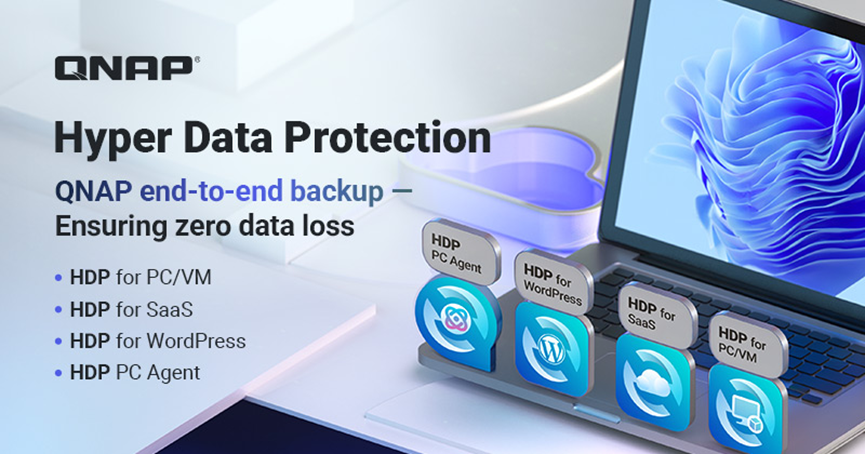
To fully leverage a QNAP NAS, it is essential to clearly define the roles of these two applications within the “3-2-1 backup strategy”, treating them as the “entry” and “exit” points of the data flow:
HDP (Hyper Data Protection) is responsible for the entry point of the backup data flow, with a focus on Centralization.
HDP operates in a proactive manner, responsible for fully backing up assets scattered across the enterprise edge—including employee laptops, virtual machines, SaaS cloud accounts, and WordPress website data—and bringing them back to the QNAP NAS for centralized management.
It serves as the first line of defense for data security, helping enterprises address two major challenges: “data fragmentation” and “ransomware defense”. By leveraging HDP, data from all phases of an enterprise’s operations can be backed up to a NAS, where it will undergo further processing and management.
HBS handles data egress, focusing primarily on Disaster Recovery and offsite backup.
Once HDP has securely backed up and stored data on the NAS, HBS then takes over and reliably backs that data up to the cloud. HBS encrypts and transmits these packaged, deduplicated backup files to public cloud platforms—such as AWS S3, Microsoft Azure, and Google Cloud Platform (GCP)—or to servers, storage systems, or NAS devices in the enterprise’s own offsite data centers. This ensures that, in the event of physical disasters (such as fires or earthquakes), hardware failures, ransomware attacks, or human-caused data deletion, enterprises can still retain complete and intact data copies, enabling system recovery and maintaining business continuity.
In short, HDP brings the data back to the NAS first, and HBS then adds an extra layer of protection for the NAS.
In the past, QNAP’s backup tools were relatively fragmented. Today, with HDP’s unified architecture, they serve as gatekeepers for the four key entry points of enterprise data. Below is an in-depth analysis of the technical details and practical use cases:
1. The Commander Stationed at the Core: HDP for PC/VM (formerly Hyper Data Protector)
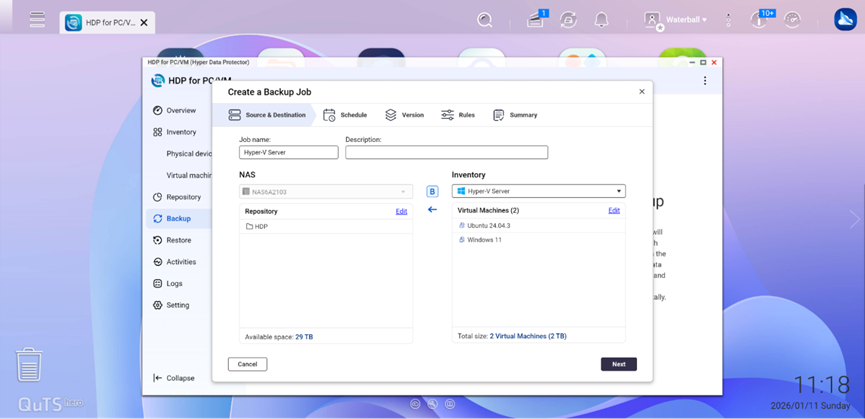
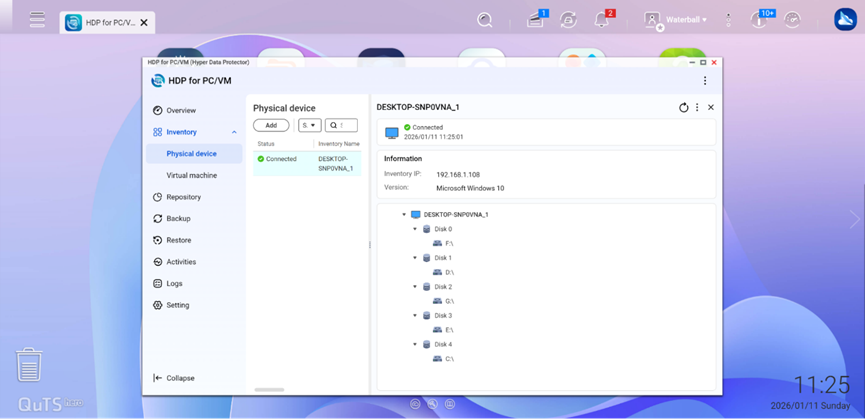
As one of the most relied-upon backup pillars for IT departments, it offers a comprehensive feature set that rivals many commercial backup solutions on the market.
Protected targets: VMware vSphere / Microsoft Hyper-V virtualization platforms and physical Windows Servers.
Technical highlights:
2. The Gatekeeper of Cloud Data: HDP for SaaS (formerly Boxafe)
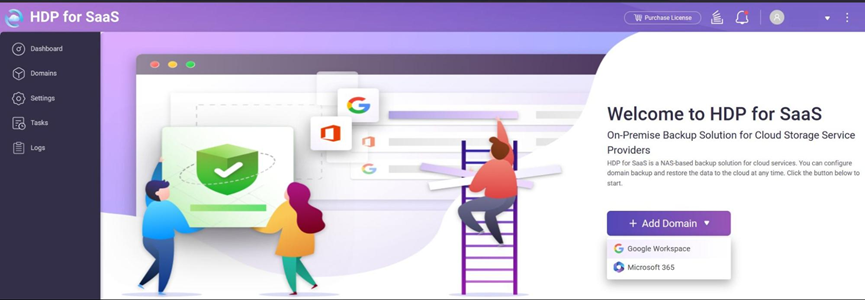
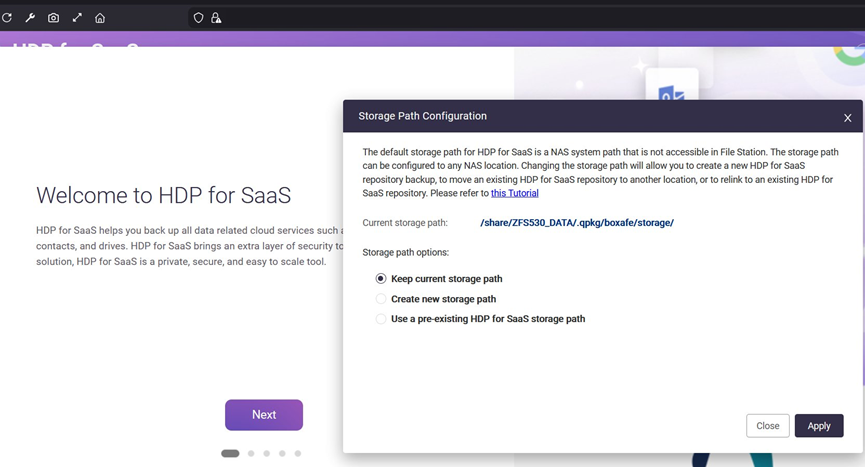
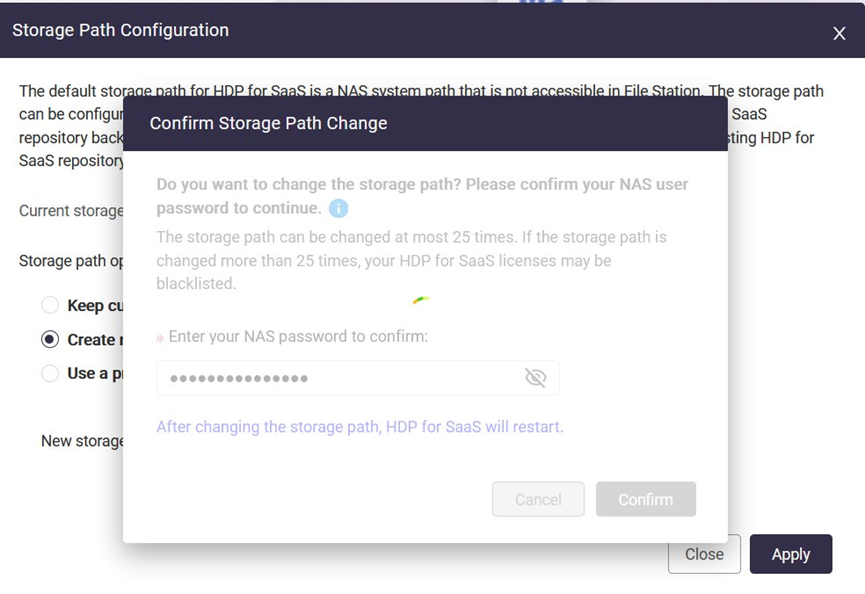
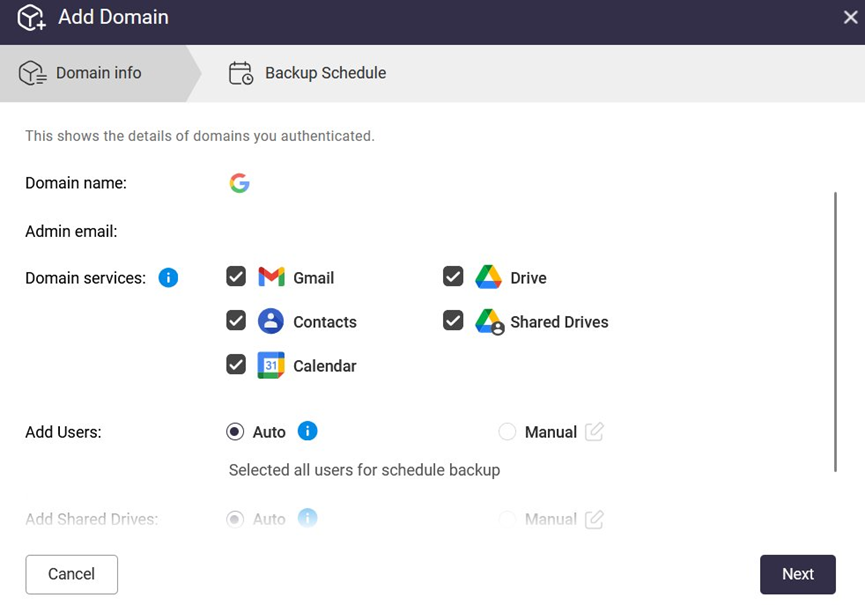
Stop believing that “data in the cloud is completely safe”. Cloud service providers operate under the “Shared Responsibility Model (SLA)”, under which they can only guarantee that the platform itself remains operational and that availability meets SLA commitments. They do not, however, guarantee that employees within your organization, or authorized vendors or partners handling business operations, will not accidentally delete files, delete data due to application logic errors, or cause data loss through malicious actions.
Protected targets: Google Workspace (Gmail, Drive, Contacts) and Microsoft 365 (Teams, Outlook, OneDrive).
Technical highlights:
3. A Rapid Backup and Recovery Tool for Website Administrators HDP for WordPress
(formerly: MARS – Multi-Application Recovery Service)
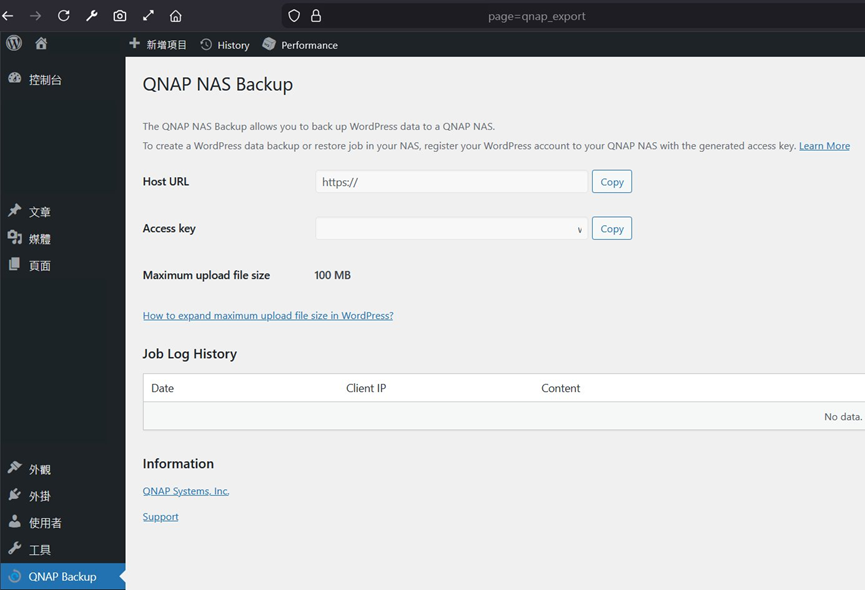
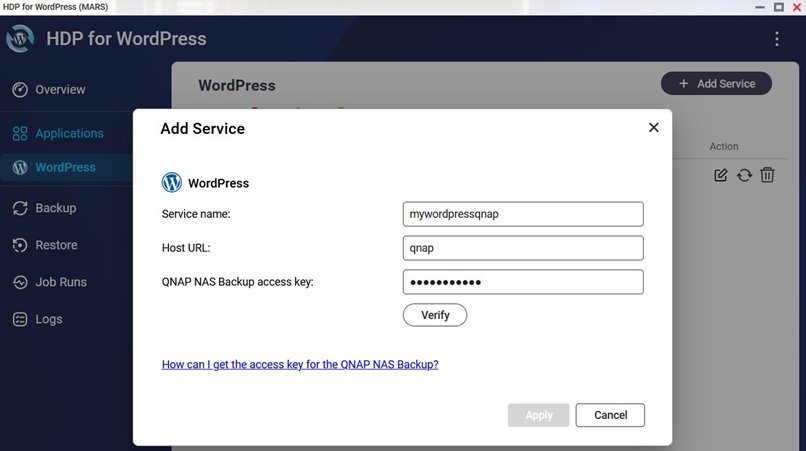
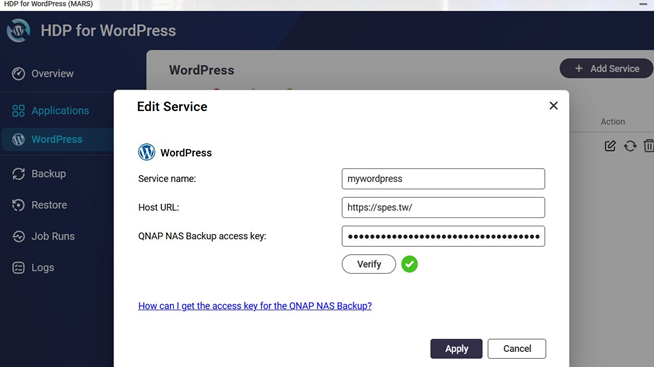
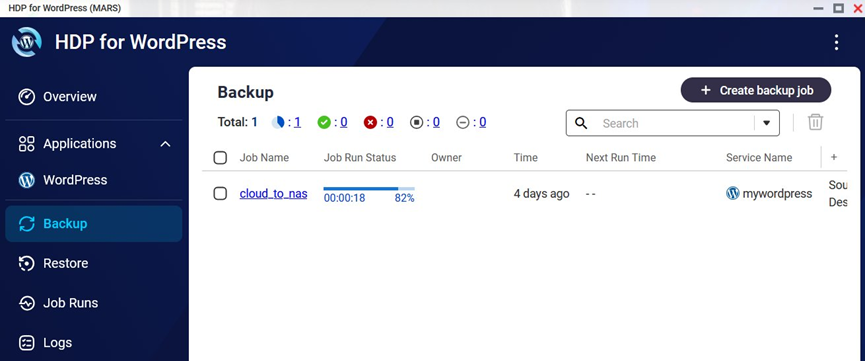
This is QNAP’s exclusive software in the NAS market, which directly addresses the backup and recovery challenges faced by e-commerce operators, marketing teams, and website administrators.
Protected targets: the WordPress content management system, including the WordPress core, database, themes, and media library.
Technical highlights:
4. A Productivity Guardian on the Go: HDP PC Agent
(formerly NetBak PC Agent)
Here, it is important to clarify the differences between Qsync and HDP, as some users tend to confuse their respective purposes. Simply put, Qsync works similarly to Dropbox. Its main strengths are “cross-device synchronization and collaboration”—you can designate folders for synchronization and set up shared folders for team collaboration. HDP, on the other hand, focuses on “version control and disaster recovery”. It is a true backup and recovery time machine.
Once your data is backed up to a QNAP NAS via HDP PC Agent, you can view the centrally managed full-system backups of desktops or laptops by opening HDP for PC/VM in the NAS interface.
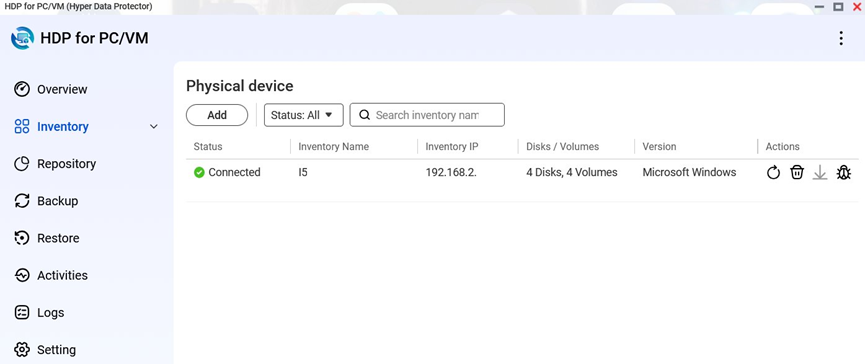
Protected targets: corporate employees’ Windows laptops and desktop computers.
Technical highlights:
Beyond its powerful functionality, HDP offers a core advantage that differentiates it from conventional commercial backup and recovery solutions: a disruptive innovation in its business model.
Most enterprise backup software on the market adopts “Per Device” or “Per Socket” pricing models, with annual subscription fees often representing a substantial ongoing operational expense (OPEX).
However, QNAP’s strategy is more practical and aligned with user needs, treating HDP as value-added enablement built into its hardware. As long as customers purchase a supported QNAP NAS model, all of the enterprise-grade features mentioned above are fully included at no additional cost, with no licensing restrictions. If the hardware performance (CPU and RAM) is sufficient, backing up 10 or even 100 devices does not incur any software cost.
Building a Watertight Backup Fortress
The key to defending against ransomware for modern enterprises has shifted from single-point protection to building structural resilience. A golden backup and recovery formula for enterprises in 2026:
Inbound consolidation with HDP + Outbound offsite backup with HBS = 100% data resilience
When backup and recovery operations are no longer constrained by licensing limits or budget, IT teams can truly focus on their core value—building a digital defense fortress capable of meeting the challenges of the next decade.
