Categories
Blog posts about QNAP's products and technologies.
Have you ever experienced this situation: You’re about to enjoy your weekend dinner, and suddenly an alert pops up on your phone — "NAS storage running low" or "Unusual login detected". When this happens, you have to rush to your computer, connect to the VPN, log into the QTS interface, and dig through layers of menus to check logs, verify permissions, or delete files.
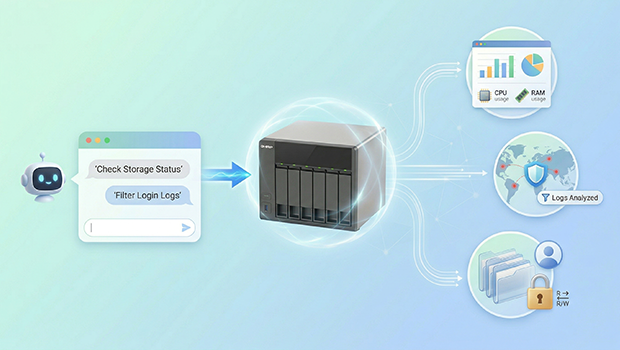
What if, at this moment, you could simply open Claude or ChatGPT on your computer and, just like messaging a colleague, say: "Check who’s trying to log in?" or "Find the top five folders taking up the most space", and most of the problem would already be solved—how elegant would that be?
This is the "AI Co-Pilot" experience made possible by MCP (Model Context Protocol). Today, let’s talk about how QNAP leverages the MCP Assistant to transform your NAS from a cold, lifeless storage box into a 24/7 AI virtual network administrator.
Scenario 1: Before the coffee is even ready, the NAS has already completed its health check
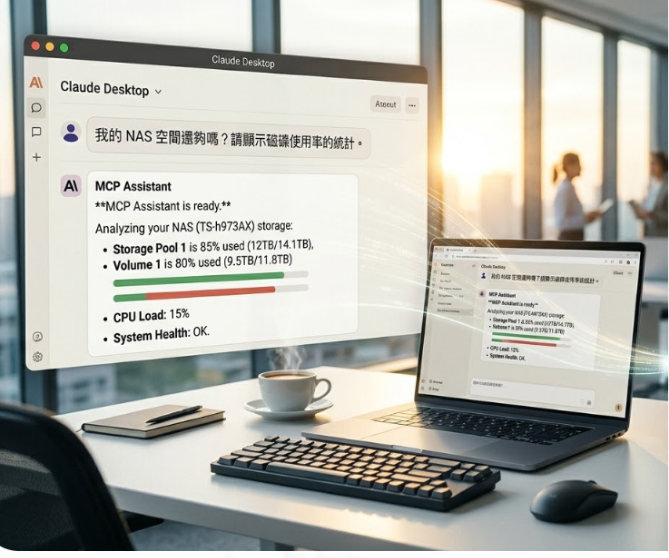
Past: Every day when I get to the office, I need to open the dashboard, check available space in the "Storage & Snapshots Manager", and then monitor CPU load in the "Resource Monitor".
Now: I just type this directly into Claude Desktop or Telegram:
"Do I have enough NAS storage? Please show the disk usage statistics."
MCP Assistant Feature Test: According to the official documentation, MCP Assistant supports Storage Management and System Monitoring. It retrieves real-time data from Storage Pools and Volumes and reports it to me.
Scenario 2: Cybersecurity Crisis? Filter Anomalous Logs

Past: After receiving a system alert email, I have to rush back to my computer, open the Log Center, manually set the date, apply keyword filters, and sift through thousands of entries to find the one or two failed login attempts.
Now: "In the past 24 hours, were there any failed login attempts? Please provide a summary."
MCP Assistant Feature Test: It features log analysis capabilities as part of NAS status monitoring, and can even leverage Large Language Models (LLMs) to analyze system logs. It doesn’t just list results—it can tell you directly: "There were 3 failed login attempts from foreign IP addresses yesterday afternoon. Consider checking your firewall settings."
Scenario 3: Complex Permission Management—Say Goodbye to Misclicks
Past: When setting up folders and configuring read/write permissions for a new project team, I have to click through checkboxes in the Permission Settings, afraid of selecting the wrong one.
Now:
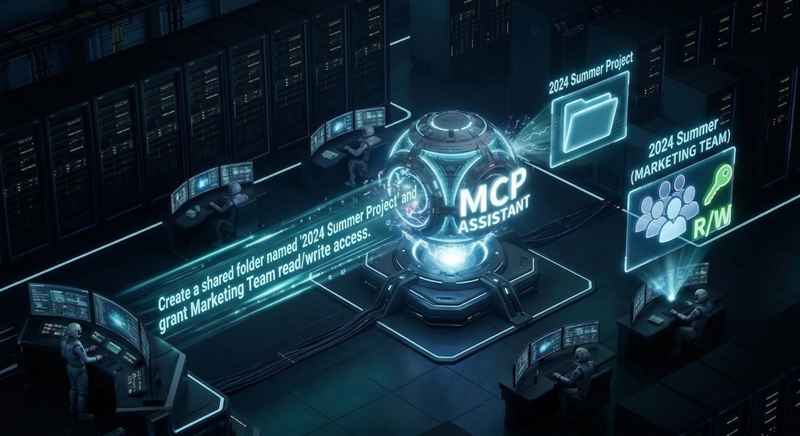
"Create a shared folder named '2024Summer Project' and grant the Marketing Team read/write access."
MCP Assistant Feature Test: Supports Shared Folder and User & Group Management. Through natural language commands, it can directly perform actions such as "create", "modify" or "delete". For teams that frequently need to adjust permissions, this is an invaluable productivity booster.
Conclusion: This Is More Than Just AI—It’s Your NAS Assistant
The emergence of MCP Assistant marks the evolution of NAS from a "passive storage device" into a "proactive execution agent (AI Agent)". It’s no longer a cold, impersonal machine. It has become an IT assistant that understands your commands and reports status updates swiftly.
If you’re also tired of endless dashboard clicking, it’s time to try QNAP MCP Assistant and experience the thrill of managing your NAS with just a few commands!
