Categories
Blog posts about QNAP's products and technologies.
Over the past decade, the network-attached storage (NAS) market has evolved from serving as simple file servers to functioning as edge computing hubs. However, with ransomware becoming increasingly rampant and AI training placing stringent demands on data integrity, we must reexamine the very core of storage systems—the file system, the most critical layer that forms the foundation of your entire IT infrastructure.
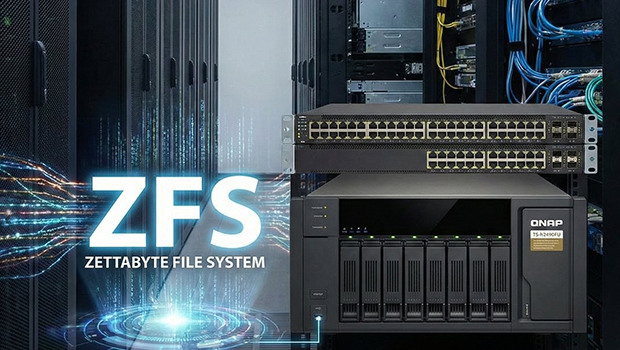
This is precisely why Zettabyte File System (ZFS) has, in recent years, transitioned from enterprise-grade servers into the mid- to high-end NAS market, emerging as a preferred choice for safeguarding data assets. From the perspectives of data security and hardware architecture, let us explore how to select and adopt storage solutions that support ZFS.
For many enterprise IT managers and mid- to high-level HomeLab users and enthusiasts, Ext4 or Btrfs may indeed be easy to use. However, when dealing with petabyte-scale data volumes or facing extreme security requirements, the advantages of ZFS are overwhelming.
Copy-on-Write (CoW) Is the Nemesis of Ransomware
Copy-on-Write (CoW) is the core mechanism of ZFS. When data is modified, ZFS does not overwrite old blocks; instead, it writes to new blocks. The creation of a ZFS snapshot is instantaneous and does not immediately consume significant storage space. However, in practice, actual space consumption comes from subsequent modifications to the original data blocks—because CoW preserves the old data.
If a company’s IT environment requires a high-frequency backup strategy—such as every 15 minutes—ZFS is the only choice capable of sustaining long-term performance without degradation. Moreover, when defending against ransomware, simply adopting Snapshot + WORM or Snapshot Lock is not sufficient. In practice, what truly counters ransomware is not a single technology, but a combination strategy: ZFS Snapshots combined with an immutability policy and remote replication. For example, pairing ZFS replication with an air-gap provides better protection and response capabilities.
Self-Healing Mechanisms Against Bit Rot
Silent data corruption is the invisible killer of long-term storage. When reading data, ZFS performs real-time checksum verification.
For image datasets used in AI model training or for medical imaging archives, even a single-bit error can lead to catastrophic consequences. ZFS can automatically repair corrupted data—something traditional hardware RAID controllers are incapable of achieving.
The Fundamental Differences Between ZFS, Traditional RAID, and Hardware RAID
In a hardware RAID environment, the system has no awareness of file contents, provides no end-to-end checksum, and therefore cannot verify data integrity.
In a ZFS environment, however, the file system functions as RAID. Metadata and data are validated together, representing true end-to-end integrity.
RAID ensures that the system can continue operating as long as the disks have not failed. ZFS goes a step further—it ensures that the data you read consists of the exact same bits that were originally written.
When choosing a ZFS-based NAS—whether it’s QNAP’s QuTS hero series, TrueNAS hardware, or an enterprise-grade custom-built solution—you cannot focus solely on the number of drive bays. ZFS is software-defined storage, and it relies heavily on compute resources.
1. Memory (RAM) Is the Soul — ECC Is a Must
ZFS uses the Adaptive Replacement Cache (ARC) to utilize memory as the first layer of cache.
In the past, ZFS had what was often referred to as a “golden rule” regarding memory sizing. Although the open-source community often recommends “1 GB of RAM per 1 TB of disk,” enabling inline data deduplication will significantly increase memory requirements. In such cases, you may need 2 GB of RAM per 1 TB of disk—or even more. Whether to enable this feature should be evaluated in advance based on the primary data types stored in the pool and typical usage patterns. The “1 GB of RAM per 1 TB of disk capacity” guideline originated during ZFS’s early years (2008–2012). In today’s environments—where compression, snapshots, replication, ACLs, and even SMB Multichannel are enabled—it clearly underestimates real-world memory requirements.
The recommended settings are as follows:
Pure file server (no De-duplication): approximately 1–1.5 GB RAM per 1 TB of raw space.
With extensive Snapshot / Replication enabled: approximately 2 GB RAM per 1 TB.
With De-duplication enabled: not recommended for small and medium-sized enterprises unless there is a dedicated architecture and sufficient budget.
If the budget allows, prioritize models that support Error-Correcting Code (ECC) memory. If a RAM error occurs, ZFS may inadvertently write false information while repairing corrupted data. ECC can be considered an additional layer of protection for ZFS. However, if budget constraints are a concern, using non-ECC memory is still a viable option. In such cases, ensuring sufficient memory capacity is even more important.
2. Central Processing Unit (CPU): Higher Clock Speed Over More Cores
Unless the NAS is intended to run a large number of VMs or Docker containers, for pure ZFS I/O workloads, a higher clock-speed CPU generally delivers better SMB transfer performance than a higher core count. Because checksum, compression, and encryption in ZFS are CPU-bound operations, modern ZFS (OpenZFS) can effectively leverage multiple CPU cores for multi-queue I/O, compression, and replication. For file services primarily delivered over SMB or NFS, higher clock speeds still favor single-connection performance. However, when compression, encryption, replication, or concurrent multi-client workloads are involved, the benefits of additional CPU cores increase substantially.
In practical ZFS deployments, the first pitfall to avoid is low-end ARM SoCs with limited memory bandwidth—commonly found in entry-level NAS devices. High-end, server-grade ARM processors are not problematic for ZFS, but they are not part of the mainstream NAS market.
3. Cache Tier Planning: L2ARC and ZIL/SLOG
This is the most significant specification difference between commercially available turnkey ZFS NAS systems and conventional NAS.
Read Acceleration (L2ARC): When heavy random read workloads are required (such as in VDI environments), it is necessary to select models that allow NVMe SSD installation to serve as a secondary cache.
Write Acceleration (SLOG): For Sync Writes (such as database transactions), low-latency SSDs are essential. Enterprise-grade NVMe SSDs (with high DWPD and PLP) are currently the primary choice, followed by high-TBW consumer-grade NVMe SSDs.
Typical video editing workflows do not place significant demand on SLOG, as most media-related tasks involve asynchronous writes. Budget should therefore be allocated primarily to RAM and hard drives.
Currently, mainstream devices on the market that adopt ZFS can generally be categorized into two types:
1. Implementation on Brand-Name NAS Devices, Using QNAP as an Example
In recent years, QNAP has actively promoted its QuTS hero operating system, bringing ZFS NAS to more enterprises.
The advantage of this type of solution is that it has the user-friendly interface of traditional NAS—such as its App Center—along with stable container services, a virtualization platform, a file backup center, and a wide range of features, while also enjoying the stability of the ZFS file system and its excellent snapshot and compression technologies.
It is mainly suitable for small and medium-sized enterprises or film and television studios that lack dedicated Linux engineers but require enterprise-grade data protection.
2. A Key Player in ZFS: TrueNAS (iXsystems)
TrueNAS, formerly known as FreeNAS, is a highly popular ZFS platform.
Its advantage lies in its absolute open-source transparency. Users can either build their own servers to install the TrueNAS system to provide storage services, or purchase official hardware, such as the TrueNAS Mini.
It is suited for IT teams with solid IT operations capabilities or those requiring highly customized storage architectures.
In the world of ZFS, hardware and software integration is key. The following introduces three of the most representative ZFS implementation approaches currently available on the market: QNAP NAS, ZFS Hardware(TrueNAS Official), and Enterprise Self-built/Server Solutions.
Comparison Items |
QNAP QuTS hero series (models: TS-h973AX / TS-h886 / TS-855X) |
TrueNAS Official Hardware (models: TrueNAS Mini X+ / R) |
Enterprise Self-built / General-purpose Servers (Dell, HPE, custom-built servers + TrueNAS Scale) |
Core Positioning |
Turnkey SolutionSuitable for businesses of all sizes, media studios, AI development teams, and HomeLab. |
Pure ZFSSuitable for IT teams and managed service providers (MSPs) with a strong commitment to open source and larger technical teams. |
Ultimate CustomSuitable for enterprises with dedicated operations teams and specialized hardware requirements. |
Operating System |
QuTS hero / QES(Custom ZFS-based solutions) |
TrueNAS Core / ScaleAdvantages: Fully unleashes the potential of OpenZFS; supports Kubernetes (Scale). |
TrueNAS Scale / Proxmox VEAdvantages: Full control over hardware selection. |
ECC Memory Support |
Supported on Mid- to High-End ModelsOnly mid- to high-end models (e.g., the h series) support ECC. |
The primary use of ECC RAM is one of the reasons iXsystems products are priced at a premium. |
Depends On the Motherboard And CPUTypically required for server-grade platforms (e.g., Xeon / EPYC). |
ZIL / L2ARC Expandability |
Excellent (Hybrid Storage Architecture)Most models natively include NVMe M.2 and SATA slots, the system can automatically recommend appropriate cache configurations. |
Good (Standardized Configuration)Supports standard SATA or NVMe SSDs for cache; slots count is limited by chassis design. |
UnlimitedConsumer-grade or enterprise-grade PCIe SSDs can be deployed as SLOG, enabling performance to be tailored to specific requirements. |
Data Compression Technology |
Strength (Inline Compression)In addition to standard algorithms such as LZ4 and ZSTD, QNAP further optimizes its real-time compression algorithm, making it well suited for transmitting large volumes of unstructured files. |
Standard (LZ4 / ZSTD)Multiple standard algorithms available; allowing each dataset to be configured independently. |
StandardSame as TrueNAS, but performance depends on the processing power of the selected CPU. |
Maintenance Difficulty |
LowUser-friendly interface; hardware issues handled directly with the original manufacturer; Operating system firmware and App Center software updates can be completed with a single click. |
MediumHardware supported by the original manufacturer; software configuration requires solid ZFS knowledge. |
HighHardware failures requires in-house debugging; software operations rely entirely on the team’s capabilities. |
Recommended Use Cases |
Enterprise file servers, AI model training databases, video editing collaboration, VM storage backends, medical image archiving, core database backups, and hybrid cloud architecture nodes. | Medical imaging archiving, core database backups, VM storage backends. | AI model training databases, large-scale cold storage, hybrid cloud architecture nodes. |
There remains a fundamental distinction in terms of “End-to-End Data Integrity”. For users who prioritize absolute data integrity (such as in scientific computing or financial data), the “ECC Memory Support” column in the table above is a critical factor. Having ECC support is highly recommended; both QNAP NAS and TrueNAS systems can utilize ECC memory.
The strategic positioning of QuTS hero represents a solid approach, as it effectively addresses the biggest pain point of ZFS: it is difficult to use For design firms without the budget to hire full-time IT staff, QuTS hero represents the fastest way currently available to benefit from ZFS (stability, ransomware protection, and inline compression), while also enjoying warranty and services from QNAP.
As for why TrueNAS official hardware is specifically listed, it is because ZFS is very picky about hardware, especially when it comes to HBA card selection. Purchasing official hardware is equivalent to buying guaranteed compatibility and warranty coverage, helping to avoid the driver disasters and various complex issues commonly encountered in self-built NAS systems.
Before purchasing storage systems that support ZFS, it is advisable to confirm the following two things:
Avoid using SMR drives whenever possible, as the ZFS resilvering process places significant stress on hard drives. Shingled Magnetic Recording (SMR) drives can easily lead to rebuild failures and even array corruption in ZFS environments. Whenever possible, specify Conventional Magnetic Recording (CMR) drives. This is because SMR drives exhibit relatively poor random write performance, making them unsuitable for frequent write operations. HDD manufacturers, including Western Digital and Seagate Technology, are advancing next-generation technologies such as Microwave-Assisted Magnetic Recording (MAMR) and Heat-Assisted Magnetic Recording (HAMR) to break through capacity bottlenecks, and new drive models will also adopt these technologies.
Keep the 3-2-1 backup principle in mind. While ZFS is powerful, it is not a backup. RAID is designed for high availability, whereas ZFS replication is intended for backup. When selecting a system, please verify the compatibility of the remote backup mechanism.
Choosing ZFS means prioritizing data integrity. In the era of AI and big data, data itself is an asset. An excellent ZFS storage system can be regarded as a secure vault for our critical digital assets.
For IT professionals who strive for the highest standards, the learning curve of ZFS is a worthwhile hurdle to overcome, allowing storage systems within the IT environment to perform better. As for business owners, investing in hardware that supports ZFS is one of the most cost-effective ways to defend against unknown cybersecurity risks.
Reposted with permission from CyberQ
