Categories
Blog posts about QNAP's products and technologies.
Key Takeaway: Break free from Cloud Lock-in and regain control over your data. We recommend building a private or hybrid cloud centered around a QNAP NAS. By implementing the “3-2-1-1-0 backup rule” with QNAP, enterprises can maintain 100% control over their locally stored data and eliminate the risk of business disruptions caused by public cloud service outages or contract disputes.
Imagine this: An organization has accumulated 70 years’ worth of priceless footage, totaling more than 50TB, only to suddenly lose access to it one day. This isn’t a ransomware attack, a hard drive failure, or a natural disaster—it’s the cloud provider you placed your trust in running into trouble.
This was the very real nightmare faced by Nine PBS, a U.S. public television station. According to a report by Tom’s Hardware, the station had hosted its video archive with a cloud provider since 2019. In early 2026, that provider suddenly became unreachable. Worse still, when the contract expired, the provider cut off access without honoring the agreed grace period. The station was forced to spend more than six months in litigation before finally being able to “begin trying to retrieve its data”. For any organization, being unable to access its own mission-critical data can be one of the most devastating consequences, potentially even at the cost of its brand reputation.
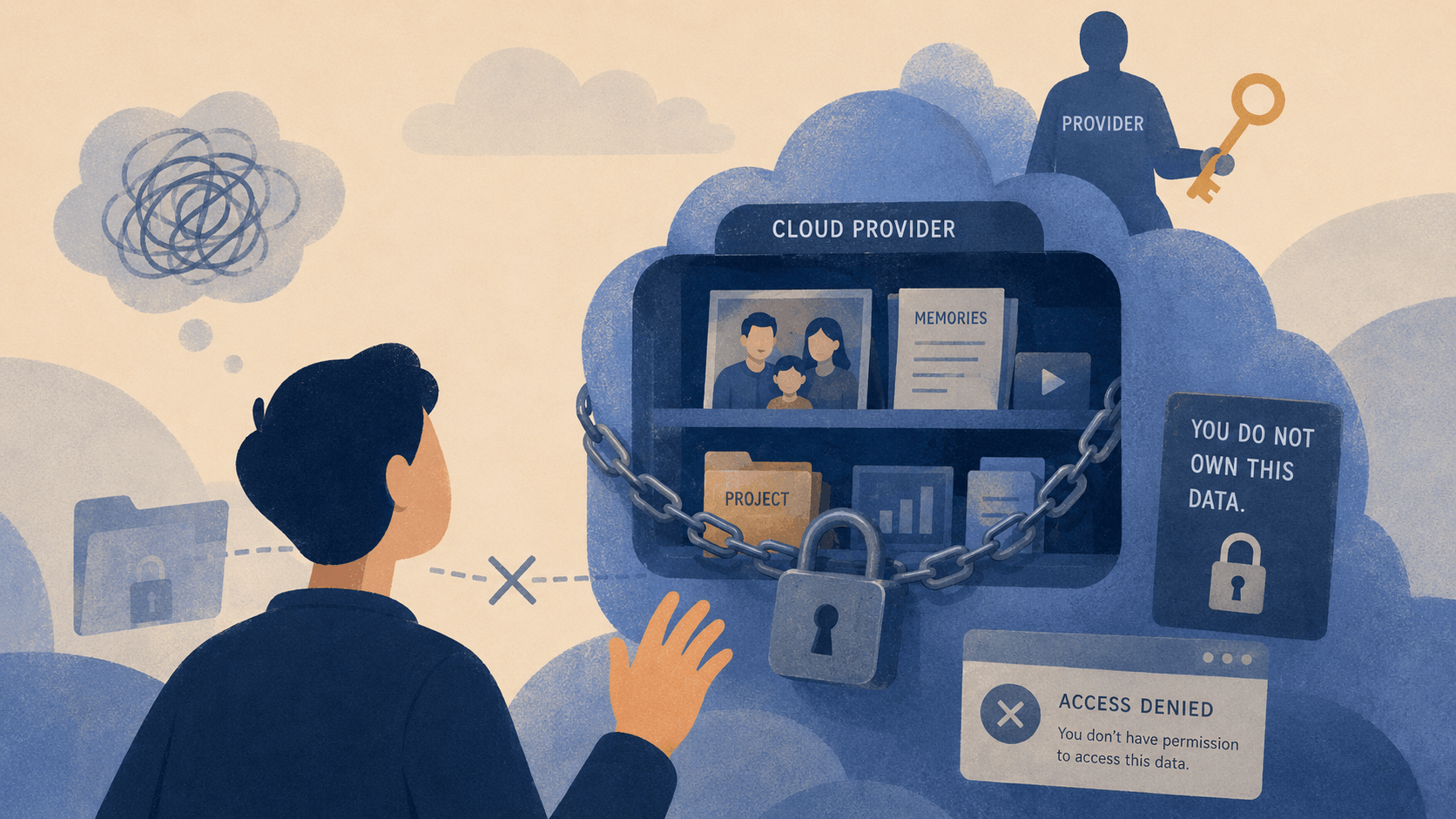
A Wake-Up Call for Enterprises: Do You Really Have Control Over Your Data? When a cloud service goes down, do you have a contingency plan? Don’t let your most critical assets become hostages in someone else’s data center. As widely shared comment on the story put it: “The cloud is just someone else’s computer”.
Nine PBS’s experience doesn’t mean you shouldn’t use the cloud. The real problem is entrusting your only copy of irreplaceable data to a single provider whose continued operation is beyond your control. This kind of dependency creates three critical risks:
The key here is to distinguish between two very different types of “cloud”:
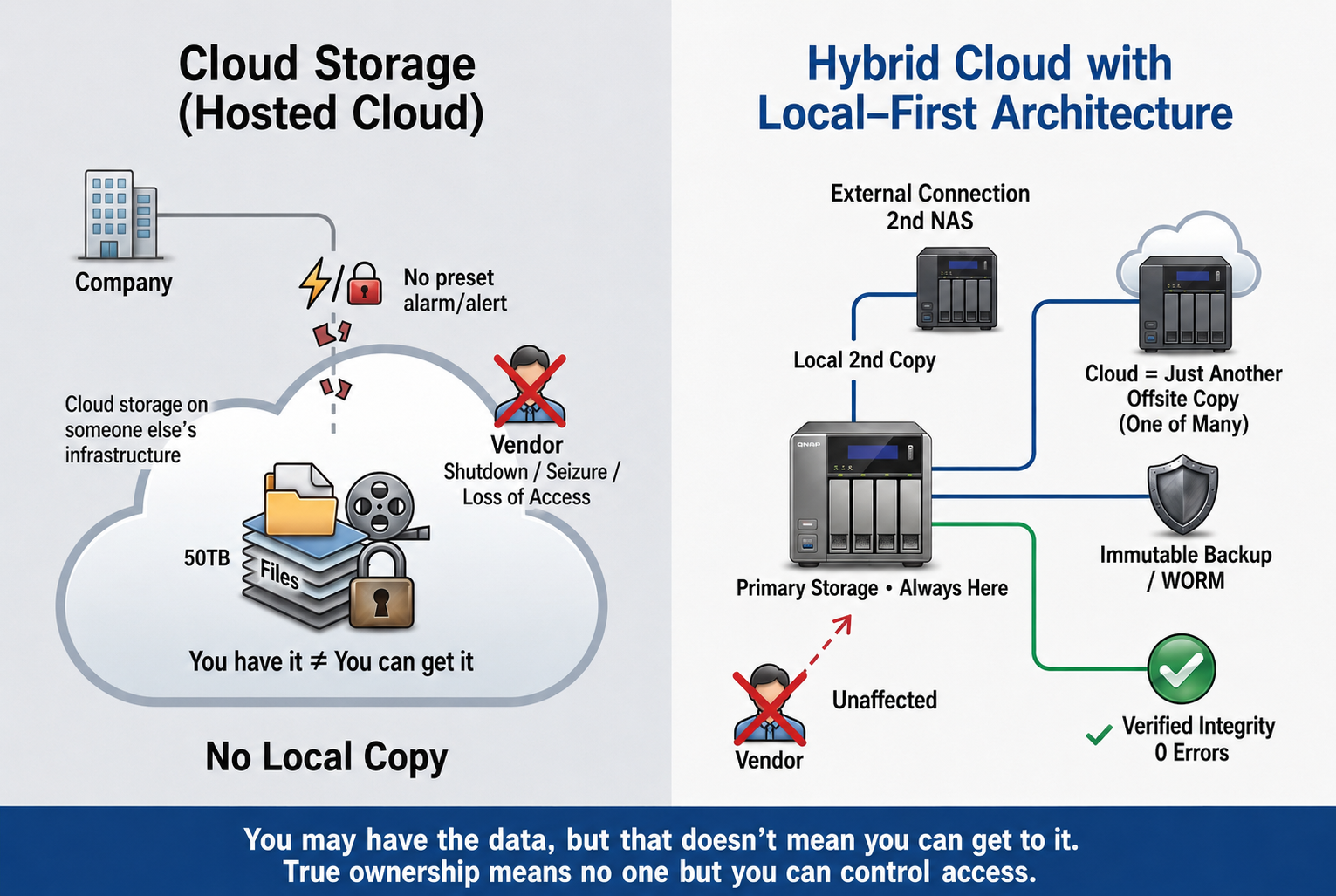
What enterprises need is not to “abandon the cloud,” but to adopt a hybrid architecture that prioritizes on-premises storage and uses the cloud in a supporting role: keeping control in their own hands while using the cloud for what it does best—off-site backup. For enterprise MIS teams, this means maintaining control over RPO and RTO, while retaining the ability to exit the relationship cleanly if a cloud provider runs into trouble.
In the case of 50TB of data, some put it bluntly: “Buying a few hard drives and building your own system would cost far less than the legal fees incurred”. It may sound blunt, but it gets to the heart of the issue. The larger the volume of data and the longer it needs to be retained, the more compelling an on-premises setup becomes.
| Evaluation Criteria | Cloud Storage Subscription | On-Premises NAS (Private Cloud) |
| Data Ownership vs. Access Rights | Data resides on the provider’s hardware, so “owning” the data and “being able to access it” may become two separate things | Ownership and access remain unified, with the data stored on your own hardware |
| Provider Goes Out of Business / Changes Hands | If the provider runs into trouble, access can be cut off, leaving your data physically held hostage | You retain control and are not dependent on the continued operation of an external provider |
| Risk of Unexpected Loss of Access | Contractual grace periods may not be honored, potentially bringing business operations to a halt | An interruption to external network services does not affect access over the local network |
| Long-Term Cost of Ownership | Recurring subscription fees continue to rise as data volumes grow and retention periods lengthen | An upfront investment plus ongoing maintenance generally results in lower long-term costs |
| Exit Capability | Data retrieval depends on available bandwidth and the provider’s willingness to cooperate | Data can be fully retrieved at any time or migrated with minimal disruption |
However, one misconception needs to be cleared up: true data sovereignty isn’t simply a matter of buying a few hard drives and plugging them into a computer. When it comes to mission-critical assets accumulated over decades, enterprises need an enterprise-grade system with fault tolerance, protection against silent data corruption, and automated backup capabilities.
At the end of the day, maintaining true control over your data comes down to three things: where your data is stored, how it is backed up, and how it is preserved over the long term.
The first step toward taking back control is to store the “primary copy” of your data on your own NAS. When the hardware is under your control, ownership and access truly go hand in hand, putting an end to the absurd situation where a business “owns its data but can’t access it”.
Why “On-Premises Primary Storage” Offers What Cloud Subscriptions Never Can?
With on-premises storage as the foundation, the next step is to turn your single primary copy into a safety net of multiple, off-site, verified backups. QNAP’s HBS 3 integrates backup, restore, and synchronization to help enterprises easily implement the 3-2-1-1-0 backup rule. HBS 3 offers flexible backup destinations, including local NAS devices, remote servers, and cloud storage. It also uses QuDedup for deduplication and encryption, along with data integrity checks, providing an additional layer of protection for backed-up data.
For archives spanning decades, the biggest concern isn’t just theft—it’s the risk of silent data corruption over time. QNAP QuTS hero NAS, which uses the ZFS file system, performs checksum verification to detect silent data corruption and can automatically repair corrupted data when redundant copies are available, providing a robust line of defense for long-term data preservation.
For mission-critical assets that need to be archived for the long term, enterprises can enable WORM folders or Immutable Snapshots, creating the immutable copy required by the 3-2-1-1-0 backup rule. Once the data enters its protection period, this immutable copy cannot be modified or deleted—even in the event of a ransomware attack or accidental deletion due to human error.
Further Reading: QNAP’s Cybersecurity-Focused Backup and Verifiable Recovery Strategy
Nine PBS spent more than six months in litigation and incurred substantial legal costs before finally seeing a path toward recovering its data. Most organizations simply cannot afford to pay such a price. The biggest lesson from the incident is: the cloud should be a backup copy—not the only place your data lives. When you keep your primary storage under your own control and implement the 3-2-1-1-0 backup strategy, an unexpected incident involving your provider becomes a temporary scare rather than a full-blown disaster.
Data sovereignty isn’t just a slogan. It means having the peace of mind that no matter what happens outside your organization, you can always get your data back.
Now is the time to take a closer look at your own infrastructure: If your primary cloud service went down without warning today, could you restore operations as quickly as possible without losing any data? The answer determines whether you are truly in control—or whether access to your own data is ultimately left to someone else’s discretion.
AI Disclosure: Some images and text in this article were created or refined with the assistance of Artificial Intelligence (AI) and reviewed by human editors.
