Categories
Blog posts about QNAP's products and technologies.
For experienced NAS users, audiovisual professionals, or enterprise IT administrators who have used NAS for many years, switching to an entirely new system is often a major decision. Over the past decade or more, many users have developed familiar system operation logic and workflows; however, as storage requirements approach 200TB and data volumes continue to grow exponentially, existing system architectures and hardware strategies are beginning to present considerable challenges.
Recently, more and more advanced users seeking to upgrade their equipment have begun seriously considering switching to the QNAP QuTS hero ZFS ecosystem. This article takes an in-depth look at the key pain points behind this shift, providing detailed answers and purchasing recommendations for the 10 key issues that professional users care about most when replacing their systems.
The main reason prompting experienced users to consider switching brands is usually not the lack of a single feature, but rather the freedom of the storage architecture and flexibility for expansion:
1.1 Drive Autonomy and Procurement Costs (BYO Drives)
Many advanced users with multiple NAS devices already have a large number of enterprise-grade hard drives on hand, such as Seagate® IronWolf, WD® Red, or Toshiba® enterprise-grade hard drives. As vendor-provided systems increasingly move toward hard drive vendor lock-in, with some even requiring high-end models to use expensive rebranded hard drives, drive procurement and maintenance costs can rise significantly. QNAP maintains an “open hard drive compatibility” approach, allowing users to freely choose mainstream enterprise-grade hard drives available on the market, significantly lowering the barriers to deployment and expansion.
1.2 Breaking Through the 108TB Storage Pool Capacity Limit
In applications such as 3D rendering (with individual EXR files reaching hundreds of MB), 4K/8K video editing, and large-scale snapshot backups, the 108TB single-volume limit commonly encountered with the traditional Btrfs file system can easily become a bottleneck in workflows. QNAP’s QuTS hero (ZFS file system) can easily build storage pools with capacities exceeding 200TB, while providing data self-healing and real-time deduplication.
We have compiled answers from community experts and official engineers to the 10 key questions most commonly raised by users migrating from their existing systems to QNAP:
Q1. How Much Memory Does the ZFS File System (QuTS hero) Require?
Answer and Recommendations: ZFS’s Adaptive Replacement Cache (ARC) relies heavily on memory. Although the official minimum requirement is 16GB, for storage pools of 100TB to 200TB or more or environments running Docker, the community strongly recommends configuring 32GB to 64GB or more (ECC memory is recommended).
Expert Tip: There is no need to purchase an overly expensive official memory expansion kit. Compatible memory modules from well-known brands available on the market, such as Kingston® and Crucial®, can provide stable operation.
Q2. Can Backup Software Seamlessly Replace Active Backup for Business?
Answer: QNAP provides the comprehensive backup solution HDP (Hyper Data Protection), as well as HDP for Business, developed specifically for enterprise users. It supports bare-metal backup/restore for Windows PCs and servers, block-level deduplication, and snapshot recovery, enabling seamless integration with existing workstation backup workflows. It also supports backup and restore for virtual machines and SaaS data.
Q3. How Are the Licensing Fees for Surveillance Systems Calculated?
Answer: This is also one of the major incentives for many users to switch. QNAP’s built-in QVR Surveillance provides 8 free camera licenses by default (far more than the 2 offered by competitors). For further expansion, users can choose between a one-time purchase or a subscription plan, significantly reducing deployment costs.
Q4. How Well Are Media Servers (Plex / Emby) Supported?
Answer: QNAP App Center provides a native Plex Media Server application. Emby can also be easily deployed through a native package or Container Station (Docker).
Q5. What Are the Best Practices for 25GbE Network Card Expansion and SSD Cache Deployment?
Answer: QNAP’s high-end models provide PCIe Gen 4 / Gen 5 expansion slots, allowing users to add 10GbE, 25GbE, or even 100GbE network cards.
Expert Tip: Under a ZFS architecture, using NVMe SSDs as cache is not recommended. A more optimized approach is to configure M.2 NVMe SSDs as the first independent storage pool (System Pool), dedicated to installing the operating system, Apps, and Docker, thereby maximizing overall system responsiveness.
Q6. What Is the User Experience Like for Automatic Mobile Photo Backup and Remote Access with QNAP?
Answer: If you install the Qfile Pro or QuMagie app on your mobile device, you can set up automatic photo uploads. The built-in AI photo album can also automatically organize photos by faces and scenery.
Remote Access: myQNAPcloud provides simple remote connectivity. For users who prioritize security, a VPN connection can also be quickly established to access the server room.
Q7. How Should QNAP Software Maintenance and Product Lifecycle Be Understood?
Answer: The “Available until 2030” designation in the specifications refers to the hardware manufacturing and sales lifecycle, and does not mean that security updates will end in that year. QNAP typically provides older models with security patches and firmware support for an extended period. Check QNAP Product Support Status >
Q8. How Do Dual PSUs Work in Rackmount Devices, and What About Noise Levels?
Answer: For redundant power supply (RP) models, only one power cable needs to be connected for normal startup and operation (the other PSU serves as a backup). Due to airflow design considerations, rackmount devices operate at higher fan speeds. If installed in a personal office, it is recommended to place the device in a rack and ensure adequate ventilation and heat dissipation.
Q9. Can ZFS Mix Hard Drives of Different Capacities and Combine Storage Pools?
Answer: To ensure optimal RAID performance and stability, ZFS recommends using hard drives of the same capacity within the same RAID group. In addition, different storage pools cannot be combined into a single logical space. If you are planning an upgrade, it is recommended to plan the entire drive array as a whole.
Q10. What Should You Consider When Upgrading QuTS hero?
Answer: The new-generation QuTS hero h6.0 provides multiple performance and security upgrades. However, for security reasons, please note that once the system is upgraded to h6.0, downgrading to an earlier firmware version will no longer be possible. It is advisable to carefully evaluate the stability of the version before upgrading.
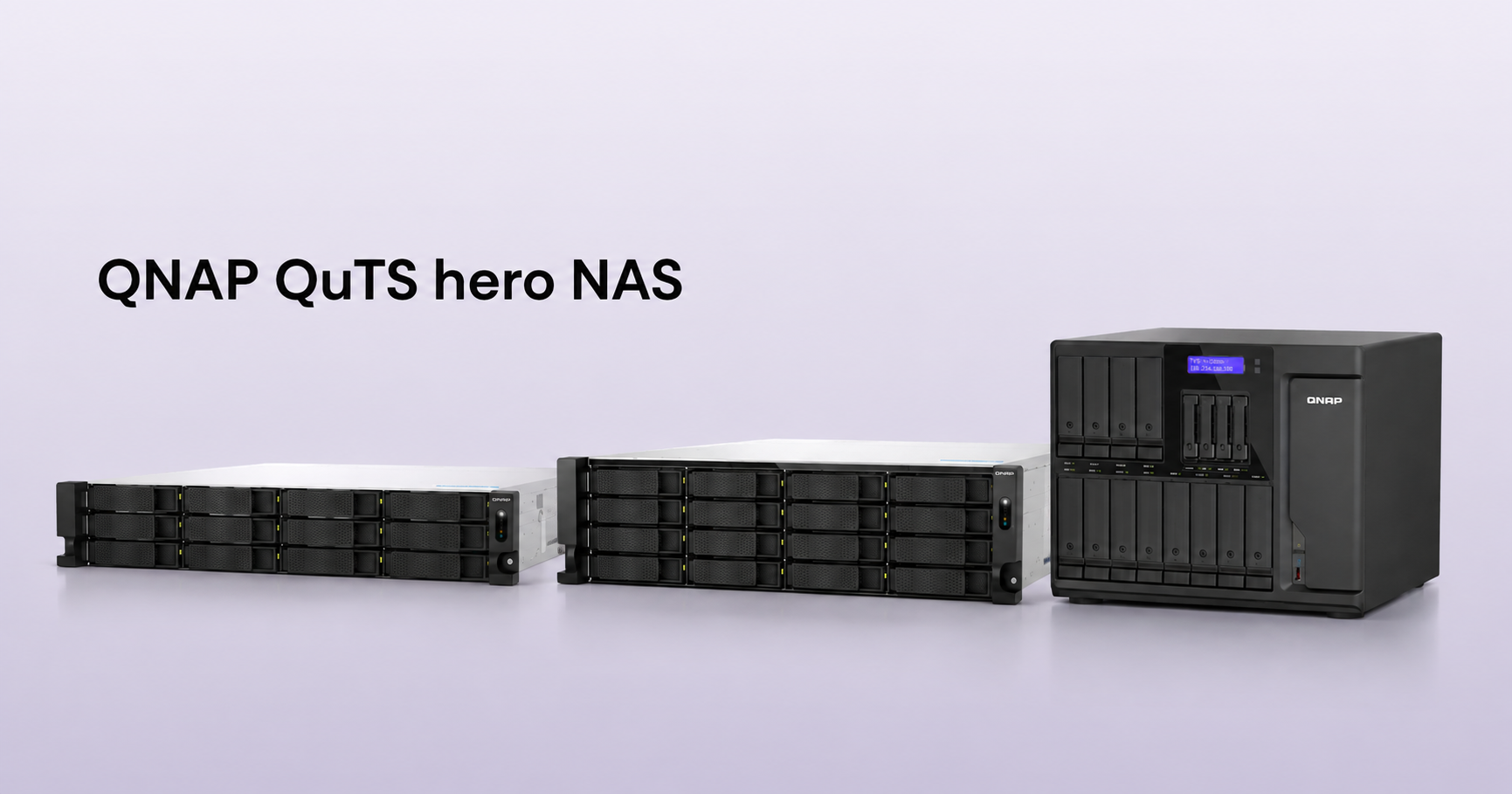
If you are looking for a device that can replace an existing 8-Bay to 12-Bay NAS while meeting the requirements for a large-capacity ZFS storage pool and high-bandwidth applications, here are three popular upgrade choices based on different deployment environments (rackmount vs. desktop) and usage requirements:
Although switching systems inevitably requires an adjustment period, “saying goodbye to drive lock-in,” “enjoying ZFS data security,” and “more cost-effective software licensing and hardware expansion” are the key reasons why many advanced users and enterprise IT professionals choose QNAP. As long as you follow the principles for memory configuration and SSD system pool planning, you can, with greater autonomy, build a more powerful, open, and worry-free system foundation for data storage in the years ahead.
Still unsure which model is right for you, or have questions about upgrading your NAS?
You can start by using the QNAP NAS Selector to quickly get model recommendations;
If you would like to learn about other users’ real-world experiences when switching systems, we sincerely invite you to join the QNAP Community to ask questions and join the discussion. The community is home to experienced users and official experts who are always ready to share their knowledge and answer your questions!
AI Disclosure: Some images and text in this article were created or refined with the assistance of Artificial Intelligence (AI) and reviewed by human editors.
