Categories
Blog posts about QNAP's products and technologies.
An air-gapped backup is an isolated data copy with no physical or logical connection to your production systems,, designed to survive ransomware, compromised admin credentials, or insider threats. The gap can be physical, such as media that is unplugged and stored offline, or logical, such as a connection that exists only during a controlled backup window.
Ransomware operators go after backups before they encrypt anything, because a working backup removes their leverage. In a 2024 Sophos study of 2,974 organizations hit by ransomware, 94% said attackers tried to compromise their backups (Sophos).
They usually have time to look. Financially motivated (“eCrime”) attackers, the group that includes ransomware operators, now move from the first compromised machine to others in 29 minutes on average (CrowdStrike 2026 Global Threat Report). Meanwhile, the global median time to detect an intrusion rose to 14 days, up from 11 (Mandiant M-Trends 2026). Any backup that stays reachable during those days can be found and deleted with the same credentials the attacker already holds.
Most organizations have a backup, but far fewer have one that is out of reach. In QNAP’s 2026 Enterprise Cyber Resilience Survey of 1,838 organizations across 93 countries:
This is not only a problem for small or immature teams. Of the organizations in that 49%, 323 rated their overall security as “Established” or higher, and 53 have more than 1,000 employees. (Survey overview and analysis; responses are self-assessed.)
Products described as “air-gapped” isolate data in different ways. The differences affect recovery time and how much you depend on people following a procedure.
| Type | How the gap is created | Strength | Trade-off |
| Physical (offline) | Tape, removable disks or a device that is unplugged and stored separately | No network path at all | Manual handling, slow restores, depends on discipline |
| Logical (network isolation) | The backup sits on a separate network or account with no standing access | Fast restores, no media handling | Isolation is enforced by configuration, so it must be protected and audited |
| Automated (scheduled isolation) | A switch, router or controller opens the connection only for the backup window, then closes it, ideally by shutting the port so the link is down | Short exposure without manual steps | Depends on the controller; the window itself must be secured |
Many cloud services describe “logical air gaps” or isolated recovery vaults. These can be effective, but they are not offline in the physical sense. Ask how access is separated and who can remove the protection.
These terms are often used together, but each one answers a different question.
| Term | The question it answers | What it protects against |
| Air-gapped | Can an attacker reach the copy? | Attackers finding and accessing the backup |
| Immutable | Can anyone change or delete the copy? | Deletion or encryption, even by an admin |
| Offsite | Is the copy somewhere else? | Fire, flood, earthquake, theft or site loss |
The strongest designs combine all three. This is the extra “1” in the 3-2-1-1-0 backup rule: at least one copy that is offline, isolated or immutable. For how immutability is implemented, see What is immutable backup?
An air-gapped copy is worth the effort when one or more of these apply:
An air gap does not detect malware. If infected files are copied into the isolated backup, they are preserved too, so keep several versions and test restores.
It also fails if the isolation can be switched off with the same admin account that was stolen. Manage the controller with separate credentials and MFA, and log every change.
For small amounts of easily replaced data, a versioned and immutable cloud backup may be enough. An air gap adds hardware and process, so use it where the recovery value justifies it.
A NAS can serve as an isolated backup target in three common ways:
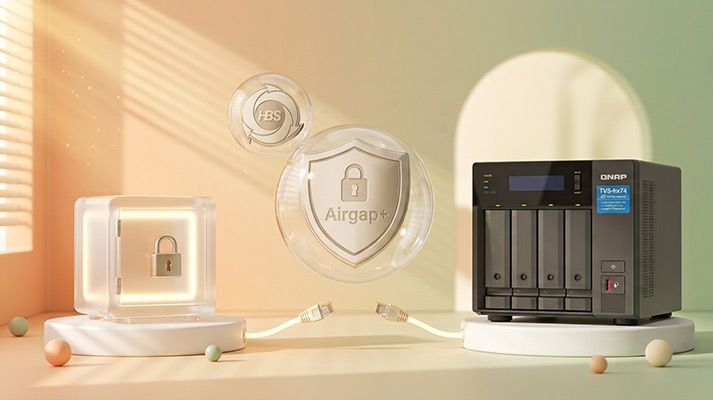
As one example of the third approach, QNAP HBS Airgap+ places a “bridge” NAS between the source NAS and the backup NAS. A QNAP managed switch keeps the backup NAS’s port shut down outside the backup window, so the network link itself is down, not just filtered. During a backup job the switch brings up one side at a time: the source sends data to the bridge, that link closes, and only then does the bridge pass the data on to the backup NAS. The source and the backup are never linked at the same time.
Is cloud backup air-gapped?
Not by default. Cloud backup is offsite, but it is reachable over the internet. Some services offer isolated vaults that provide a logical air gap.
Does an air gap slow down recovery?
Physical media usually does. Logical or automated isolation can restore at network speed once a connection is opened for recovery. In QNAP’s survey, 27% of organizations said recovery takes more than a day, so plan restore speed as carefully as isolation.
Is an air gap the same as an offline backup?
An offline backup is one kind of air gap, the physical kind. Logical and automated air gaps keep the copy unreachable without unplugging it.
Is an immutable backup the same as an air-gapped backup?
No. Immutability controls write permissions, while an air gap controls network access. An immutable backup prevents data from being modified or deleted, but the repository remains online. An air gap severs connectivity entirely. Systems running QNAP QuTS hero combine both WORM-based immutable snapshots with scheduled logical air gaps, preventing threat actors from both discovering the backup target and altering historical recovery points.
The QNAP Data Protection Product Team designs and tests QNAP’s backup, snapshot and recovery technologies, including Hybrid Backup Sync, Hyper Data Protection, immutable snapshots and Airgap+.
Related reading
AI Disclosure: Some images and text in this article were created or refined with the assistance of Artificial Intelligence (AI) and reviewed by human editors.
