Categories
Blog posts about QNAP's products and technologies.
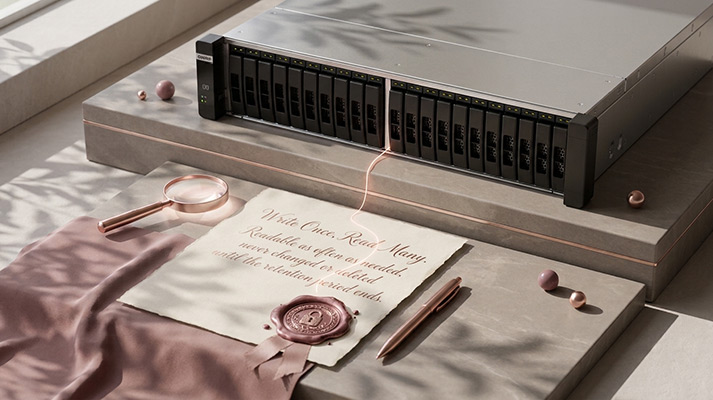
WORM (write once, read many) storage keeps data in a state where it can be read as often as needed but cannot be changed or deleted until a set retention period ends. Organizations use it to prove that records are original, to meet record-keeping rules, and to keep a copy of critical data that ransomware or a stolen admin account cannot erase.
WORM started with media that could physically be written only once, such as recordable optical discs. Today most WORM storage is enforced by software: the storage system accepts new data but refuses any request to modify or delete it while the lock is active.
Three settings decide how that protection behaves:
Most WORM implementations offer two levels of strictness. Vendors name them differently, but the idea is the same.
| Governance (or “Enterprise”) mode | Compliance mode | |
| Can a normal user change or delete locked files? | No | No |
| Can an administrator remove the protection? | Yes, with special permissions (for example, by deleting the whole volume or shortening retention) | No, not until retention ends |
| Can retention be shortened later? | Usually yes | No |
| Typical use | Internal policies, ransomware protection, testing | Records that must stay unaltered for a fixed period |
Compliance mode is the stronger guarantee, but also the less forgiving one. A wrong retention setting cannot be undone, so test with governance mode first.
WORM is worth considering when you need to prove a record has not changed, or when losing a finished copy would be costly:
Many guides say regulators “require WORM.” The reality is more nuanced: most rules require you to prove records are complete and unaltered, and WORM is one way to do that.
| Rule | Who it applies to | What it says about WORM |
| SEC Rule 17a-4 (US) | Broker-dealers | Long required a “non-rewriteable, non-erasable” format. Since the 2022 amendments, firms may instead use a system with a complete, time-stamped audit trail of every change (Sidley) |
| Electronic Books Maintenance Act (Japan), scanned records | Businesses storing scanned tax documents | Requires either a system that records every correction or deletion, or a system in which records cannot be corrected or deleted (National Tax Agency) |
| GDPR Article 17 (EU) | Organizations holding personal data | The right to erasure can conflict with WORM, but it does not apply where data must be kept to meet a legal obligation (GDPR Art. 17) |
WORM alone rarely makes you compliant. Rules can also cover indexing, audit access, retention schedules and who may change settings. If you rely on WORM for a regulatory requirement, confirm the specific rule with your compliance team or legal counsel, and check whether a third-party assessment of the storage system is expected.
WORM stops data from being changed. It does not stop the device holding it from failing, burning or being stolen. A locked file on a single system is still a single copy. Keep WORM-protected data on redundant storage, and keep another copy offsite, ideally also isolated or immutable. See What is an air-gapped backup?
Many WORM settings cannot be changed later, so decide these up front:
On QNAP NAS running QuTS hero or QES, WORM is enabled per shared folder when the folder is created. It cannot be added to, removed from or changed on an existing folder (QNAP FAQ).
1. What is the difference between WORM and immutable storage?
Immutable storage is the broader idea: data that cannot be changed for a period. WORM is one way to achieve it, usually at the file or folder level. Object Lock in cloud storage and immutable snapshots are others.
2. Can WORM data ever be deleted?
Yes, once the retention period ends. In governance mode, an administrator may also be able to remove the protection earlier. In compliance mode, nobody can until retention ends.
3. Does WORM protect against ransomware?
It prevents locked files from being encrypted or deleted. Files written before they lock, and copies stored elsewhere, are not protected by it.
4. Is cloud Object Lock the same as WORM?
It follows the same principle, applied to objects in cloud or S3-compatible storage. Many providers offer governance and compliance modes that work like those described above.
The QNAP Data Protection Product Team designs and tests QNAP’s backup, snapshot and recovery technologies, including Hybrid Backup Sync, Hyper Data Protection, immutable snapshots and Airgap+.
Related reading
AI Disclosure: Some images and text in this article were created or refined with the assistance of Artificial Intelligence (AI) and reviewed by human editors.
